Resolve file issues
If you had an alert on the Home page and clicked View file issues, you will go to the Issues page. Review the issues in the list and decide how you want to handle them. Select Include files in the list which have been marked as 'Stop Protecting' if you want the list of issues to include files that you previously stopped protecting.
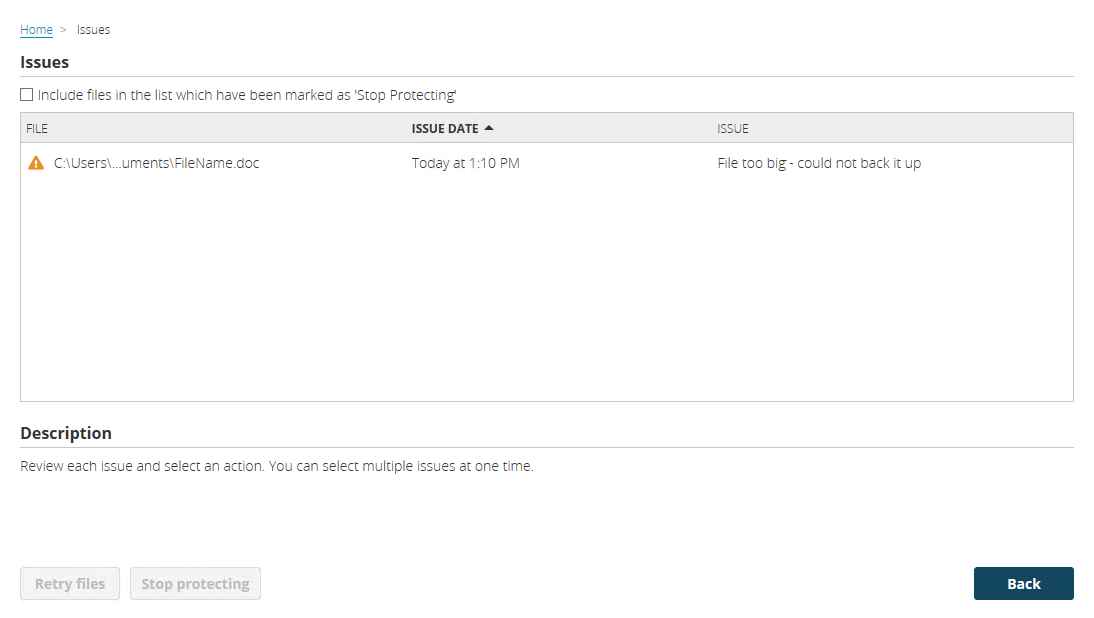
You can select an action for individual issues or select multiple issues at once and apply the same action to all of them.
- Retry files—Select this option if you want to retry the selected files. The files will be retried during the next scan.
- Stop protecting—Select this option if you want to stop protecting the selected files. Once protection is stopped, the file will be skipped in future scans.
If you want to start protecting a file that you have previously stopped protecting, locate it in the file list by enabling the include files marked as stop protecting, and then click retry. The file will be retried during the next scan.